Multiple Users
Create and manage user and groups, with individual passwords, site access, editing and publishing rights. Pages can also be set to be approved by an administrator before publishing.
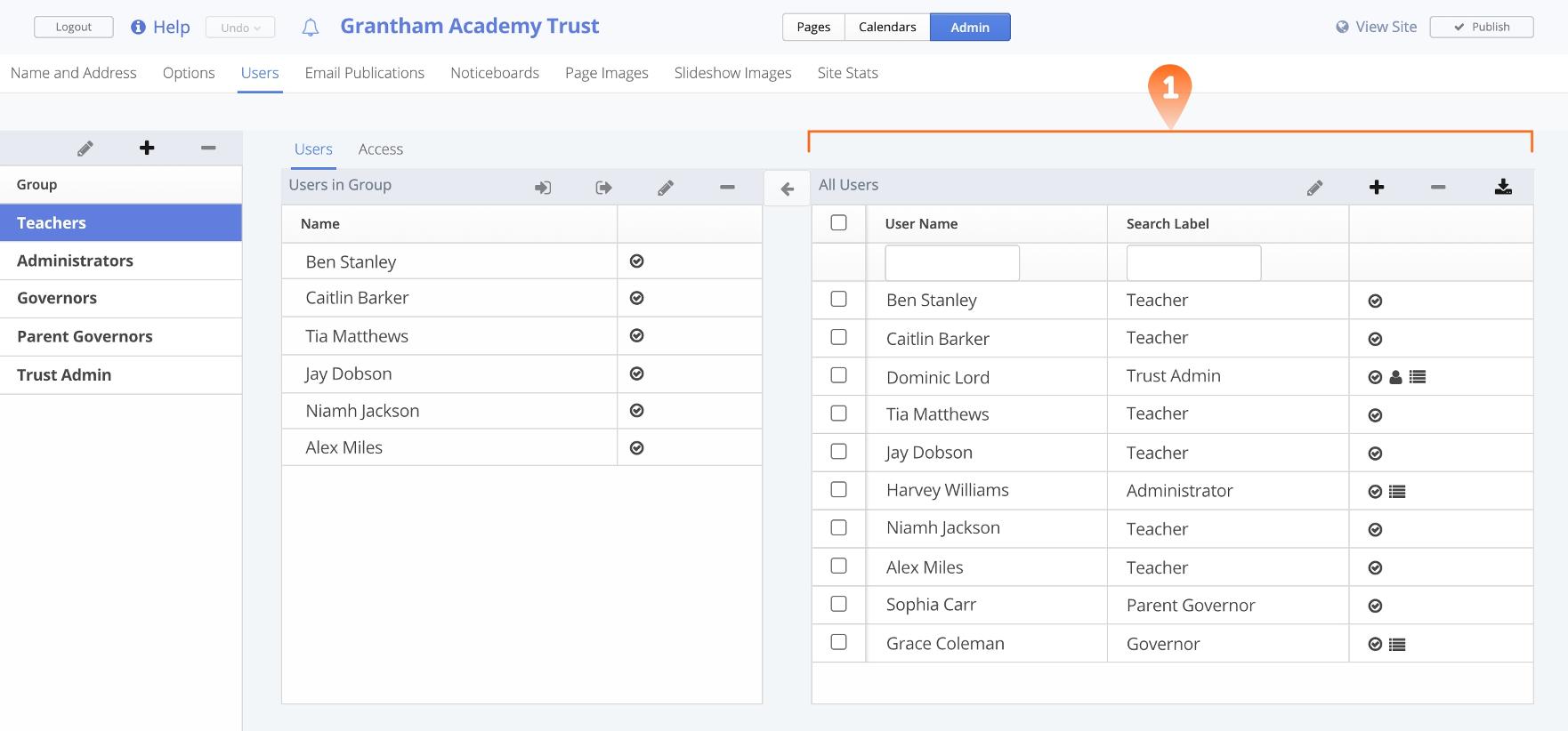
1. Manage Users
- Easily create new or manage existing users
- Streamline importing of users by uploading a .csv file
- Set fundamental capabilities that empower individual users to Publish, Modify Menu Structures, and Edit Other User Accounts.
- Restrict ability to publish content
- User accounts can be set to request approval of edits before publishing
- Update individual user passwords
- Send prompt password reset emails when needed.

2. Mange Groups
- Create groups with ease.
- Assign specific permissions to each group.
- Users can be assigned to multiple groups, offering versatility in structuring your organization.
- Empower appointed administrators with full authority over which areas and pages users can access and edit.
- Grant publishing roles to users or groups, allowing them to either publish directly to the internet or request approval from an administrator.
- Fine-tune and customize specific editing privileges according to your requirements.
- Schools-Online provides the flexibility for either assisted user setup by our team or full school control over user management, ensuring a tailored approach to your needs.