Content preperation and testing
There might be occasions when you wish to conceal your content temporarily, giving you the opportunity to prepare and test it before making it publicly accessible. The Schools-Online editor offers a distinctive and user-friendly feature that allows you to hide menus and submenus. Once you've completed all your content preparations and are ready to go live, simply toggle the visibility option, and your content will be live for all to see.
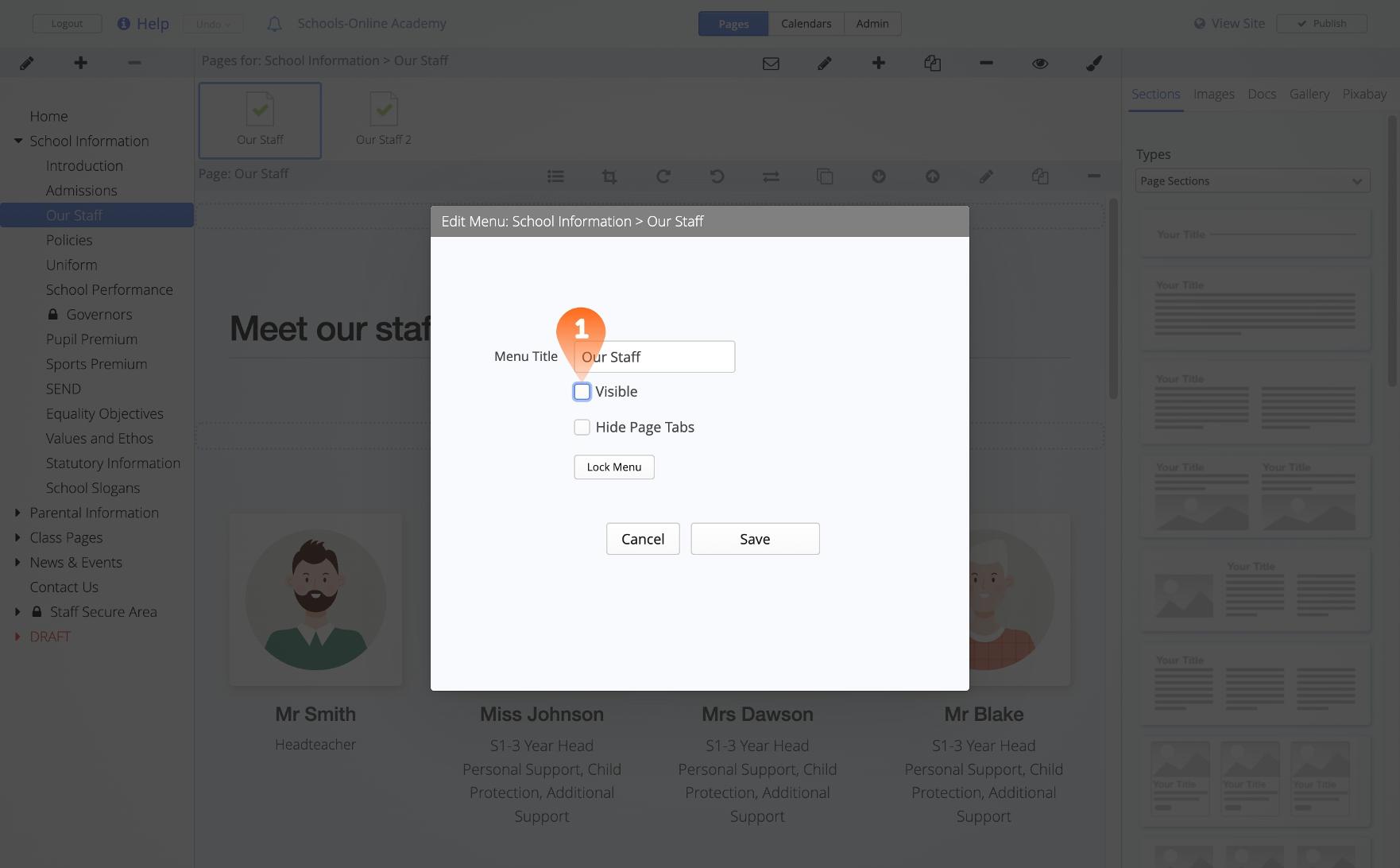
1. Content Visibility
After double-clicking the relevant menu or sub menu simply click the Visible check box to hide your content.
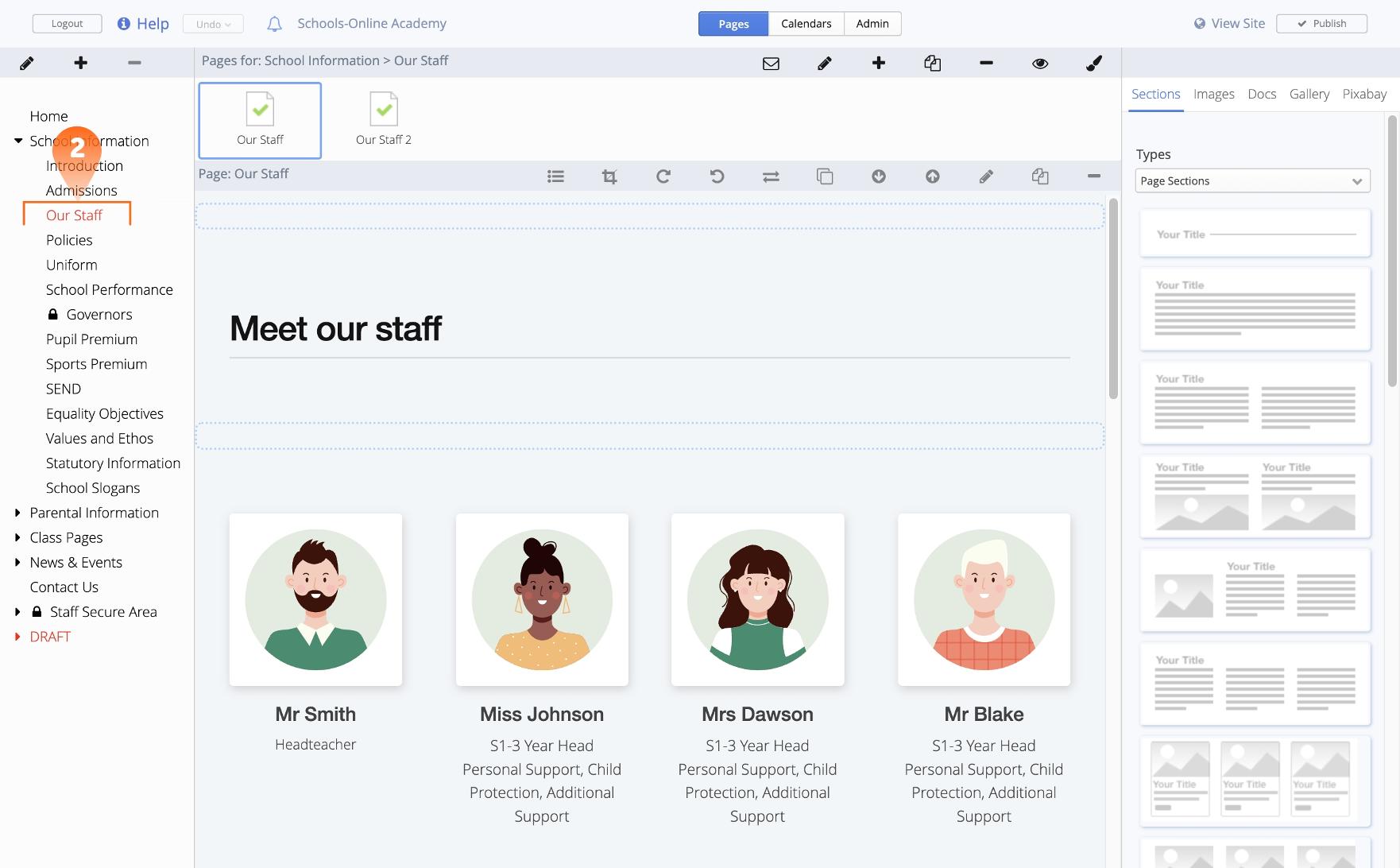
2. Hidden
To indicate that the content is presently hidden to both you and other editors of your website, the menus are highlighted in red.